FEATURE GUIDE · LOCAL MCP
Playwright Browser Automation for Coding Agents
Automate local Playwright browser actions, including private field copy, batch checkboxes, native drag and drop, and approval-gated custom controls.
Most browser-agent loops send a whole page or screenshot into a general model, then translate generated prose back into a click. Agent Decision Kit keeps browser state local and inspects semantic controls alongside bounded CSS pointer-only text or icon targets. Distinct labeled children such as Reply and Forward are offered separately; an icon filename can supply a fallback label. Custom targets have no semantic role and always require confirmation.
HOW IT WORKS
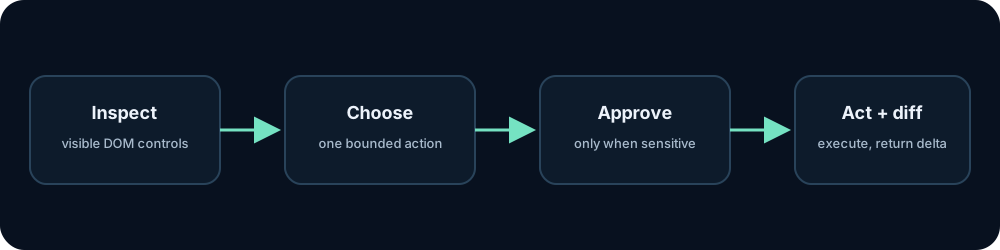
From current state to a bounded action
- Launch an isolated Chromium profile, or list loopback Chrome tabs with browser_connect and attach only after choosing a pageIndex.
- Inspect up to 80 visible buttons, links, supported text/date/time fields, native selects, native range sliders with their bounds but not current values, accessible ARIA sliders, supported keyboard-operated slider handles with linked visible readouts, checkboxes, radio buttons, native draggable items, declared drop targets, and text or icon targets whose CSS cursor explicitly changes to pointer. Distinct labeled child targets are split apart; CSS image filenames can label icon-only controls. Custom targets always require confirmation. Passwords, hidden fields, file inputs, cookies, and storage are excluded.
- A unique exact control label or CSS pointer-only text or icon target in a simple click, tap, or open request (with or without quotes), role-prefixed labels, revealed menu-item targets, ordinal radio/textbox instructions, explicitly requested textarea clicks, numbered tabs, named checkbox targets, exact native-option requests, explicit slider targets, and multi-section disclosure searches can resolve locally without model inference. Exact select and slider requests advance one step at a time. Unfilled task-requested text fields block submit proposals. Duplicate labels remain ambiguous. For other choices, let the configured decision provider pick a control or pass a ref directly.
- Use browser_fill to enter a caller-chosen value, browser_copy_field to move text locally between a visible text input or textarea without returning it, browser_set_checkboxes to set up to 40 uniquely labeled visible native checkboxes in one call, browser_select_option to choose one exact enabled native option label, or browser_set_range to set an explicit number within exposed slider bounds and step. Copy and checkbox updates never submit a form; password, file, hidden, select, contenteditable, ambiguous, disabled, and approval-required checkbox targets are excluded. Keyboard-operated sliders without exposed bounds are moved only if the exact value is reached; the original value is restored when the target cannot be reached. Slider readings are not returned. Read-only date widgets are marked and opened with browser_action so the visible calendar can be inspected. Use browser_drag to move an inspected draggable source onto a declared drop target; each proposal requires a separate user confirmation and is cancelled if the page changes.
- Read a small DOM change summary instead of pulling the full page back into the agent context.
- On a page without semantic controls or clear CSS pointer text or icon targets, try browser_visual_text first for quick local OCR. It masks editable text fields and returns bounded text and word boxes. Use segmentationMode: sparse-text for scattered labels on mostly blank pages; automatic stays the fast default. Use contentMode: digits only for explicitly numeric tasks; it limits recognition to 0-9, returns per-character boxes, retries suspiciously merged characters on local crops, and rechecks at most eight repeated digit glyphs with single-character OCR. If the requested phrase is missing, browser_visual_action tries one slower sparse-text pass, then proposes a click only for an exact unique match. Every proposal requires separate browser_confirm approval and a URL, viewport, and screenshot that still match. Use browser_visual_inspect for slower local visual question answering when OCR misses the needed detail. It masks editable fields and returns viewport dimensions. When a visual target has no OCR label, use browser_visual_click or browser_visual_drag with caller-chosen CSS points; both wait for separate approval and reject a changed screenshot. browser_visual_scroll moves a nested viewport and returns fresh OCR context.
LIMITS TO KEEP IN VIEW
Chrome tab attachment requires a dedicated profile with local remote debugging enabled; do not expose a normal Chrome profile or the CDP port to a network. URL credentials, query, hash, and local file paths are redacted. Editable values, including contenteditable drafts, stay out of DOM text. Local private-state digests expire stale approvals without returning field values. The remaining page URL, title, headings, bounded text, and action labels can be sent to the configured local provider. Remote providers require explicit opt-in. DOM labels can be ambiguous and webpages can contain prompt injection. The local semantic baseline and slower CPU vision model can both be wrong. Sensitive actions pause for confirmation, but the risk detector is heuristic.
OPTIONAL VISUAL FALLBACK
When the page is only pixels.
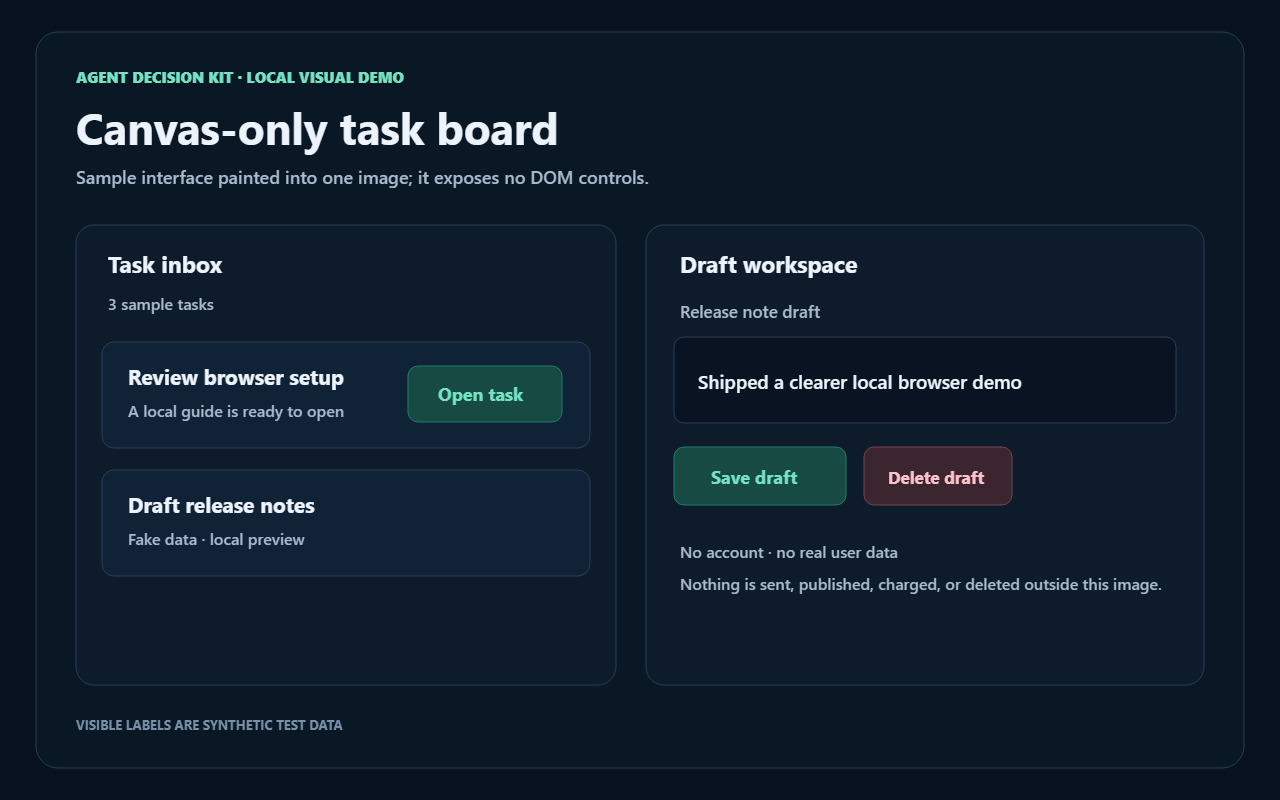
Canvas-only controls do not appear in the accessible DOM. Try fast local OCR first; choose digits-only OCR for explicitly numeric tasks, or a slower sparse-text pass for scattered labels. If OCR merges digit boxes, it retries small local crops. If pixels have no readable target, local vision can describe the masked screenshot and estimate a point. Caller-selected clicks and drags always require separate approval and are cancelled when the screenshot changes; bounded scrolling returns fresh OCR context.
Open the fake-data canvas demo →